Setting up for success
From the very beginning I made the decision to adopt a ‘hands-on coding’ approach to help improve my computer coding skills.
I’d already built a niche valuation website for collectors of the British comic, Commando, so I thought I had some knowledge of what was needed. What I didn’t realise was the number of different computer languages I would need to develop a music puzzle game. I also didn’t realise how much code I would need to write in order to make it work.

Yes, I could have used ready-made templates or even asked AI to build it for me, but where’s the challenge in that? I wanted to physically write, test and debug code from scratch. To understand what each bit of code did, how it interacted with other code, how it could be written more efficiently, and most important of all, how to write it in a way which would be easy to maintain and update.
The first thing I did was buy a notebook. I’m old-school, so like to write things down in order to help them make sense. I tend to lose track of where I am when coding on screen, but a notebook helps me make sense of the logic behind links and the way pages flow. It also helps me to keep to-do lists, of which there have been many.
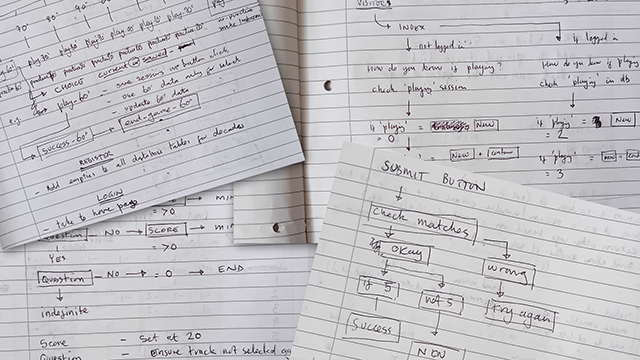
I already had the concept so drew a diagram laying out how pages would flow when a visitor wanted to play. I concentrated on getting the basics built, knowing I could add to it when needed. The first website I turned to was W3Schools where I was able to learn how to create a basic html page and introduce CSS for styling it the way I wanted.
I found building the website quite daunting at first. I kind of knew that there would be a lot to learn, and that I would make some mistakes. What I didn’t know was just how many mistakes I would be making (and continuing to make), but learning the code needed to actually build the website didn’t really worry me. I quite like to learn new things and believe that making mistakes can help you develop quicker. However, hosting the website on a server was an area I wasn’t confident in tackling myself, therefore, I knew I had to employ professionals.
I passed that responsibility over to the amazing team at Easyspace. They had hosted my websites in the past and I always found their technical support team to be brilliant. They set me up with a dedicated server running Plesk which gave me total control over what I wanted to do (with the confidence that they were in the background ready to help should I need it). As it turned out I only needed them on a few occasions, one when my server ran out of space (I hadn’t removed any of the old back ups I’d been saving!) and another time when I couldn’t figure out why my database wasn’t working properly (it turns out that my localhost was MySQL and my server was running MariaDB which was causing JSON problems). Anyway, they were able to upgrade my server within minutes and everything was working perfectly.
So basically, all you need to start building your own website with a ‘hands-on coding’ approach is to buy a notebook, get yourself a host like Easyspace, log in to W3Schools and just start learning code. It’s hard work and time-consuming doing it from scratch, but you never know, like me, you might just enjoy it!